


Test search on localhost
Enable local origins for a browser key and test your search integration without adding each development port.
- Published
- Updated
Highlights
- Test locally without listing each development port.
- Enable localhost origins for each new Browser/public key. Off by default.
- Supports localhost, 127.0.0.1, and [::1] over HTTP or HTTPS on any valid port.
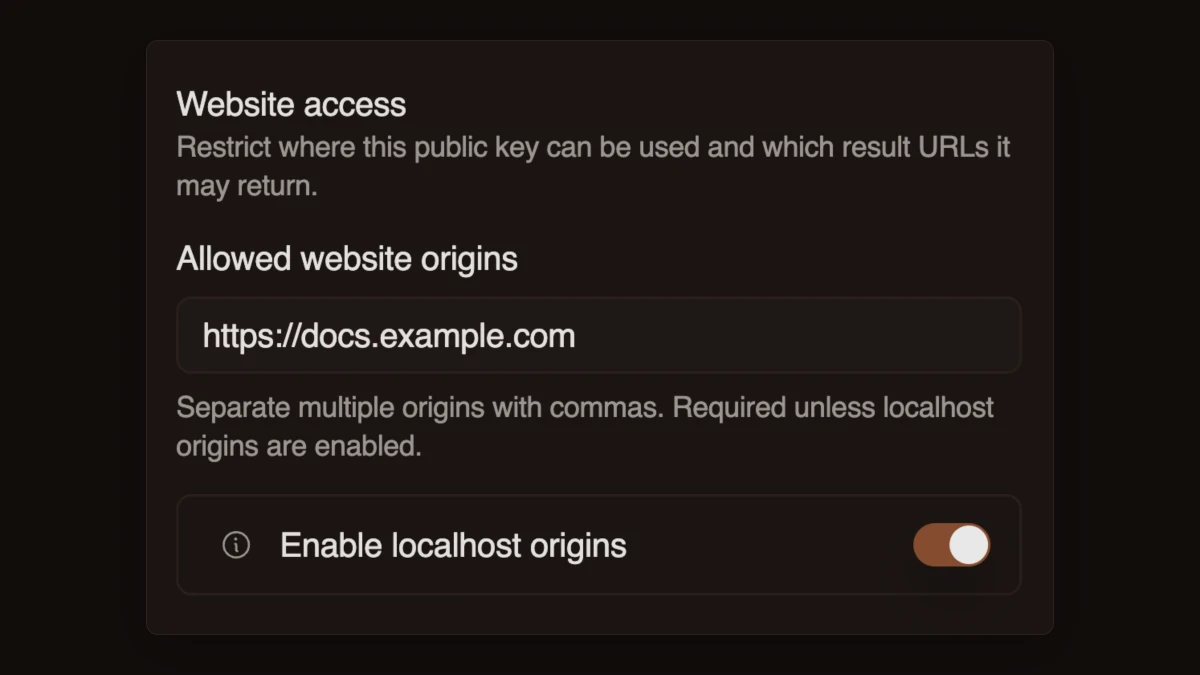
You can now test your Ceisium Search integration on your local development server without adding an allowed origin for each port.
In Setup → API keys → Generate key, choose Browser/public and turn on Enable localhost origins. The switch is off by default for each new key. Existing keys stay as they are.
When enabled, the key accepts HTTP and HTTPS on any valid port for localhost, 127.0.0.1, and [::1]. For example, http://localhost:3000 and https://[::1]:4321 both work. Localhost subdomains and other IP addresses are not included.
Other website origins still need an entry under Allowed website origins. A key for local testing can leave that list empty while the switch is on. Your result URL restrictions and key limits still apply.
The simplest intent-aware search for your website and docs
Compare your website's search with Ceisium Search for free